
New features
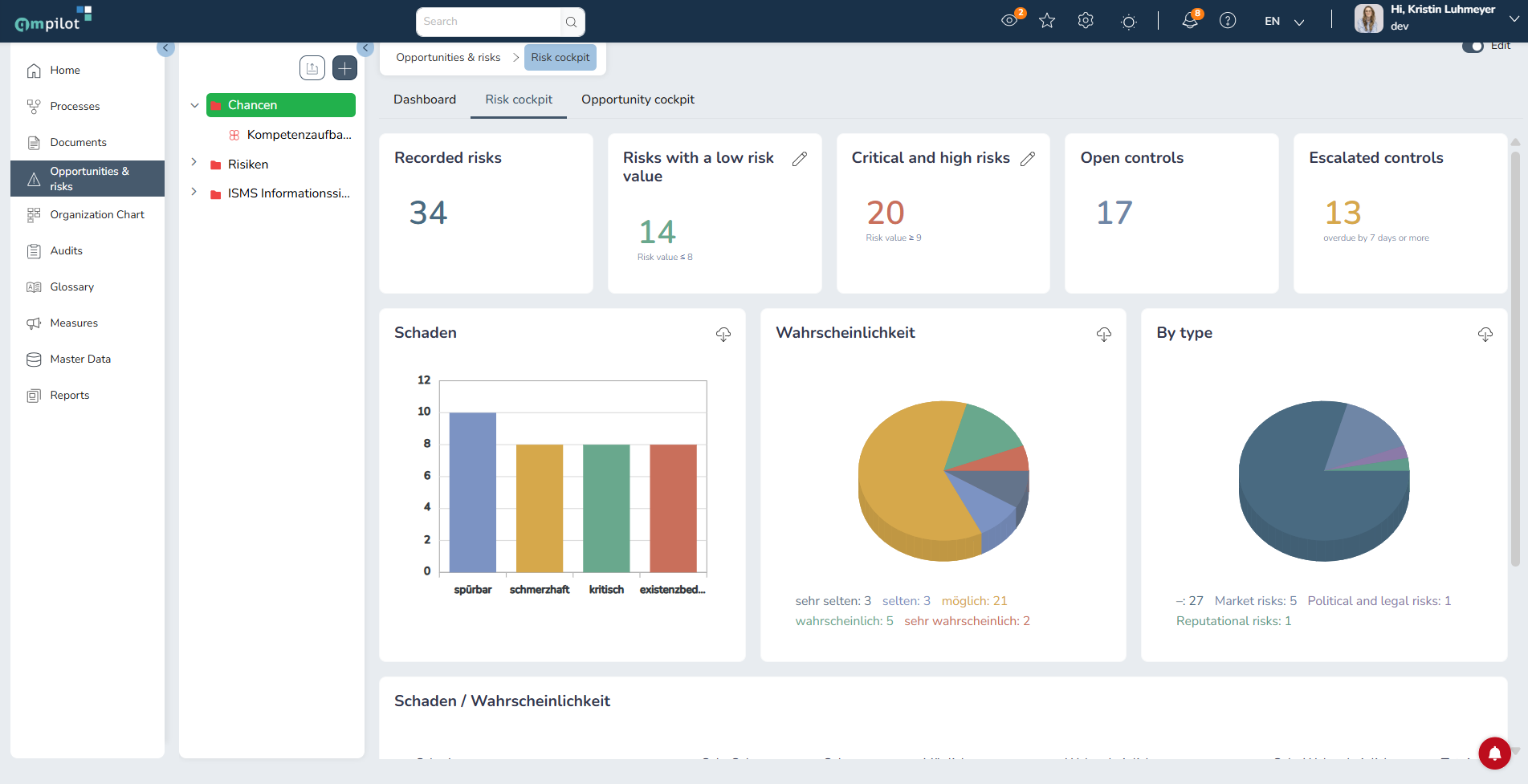
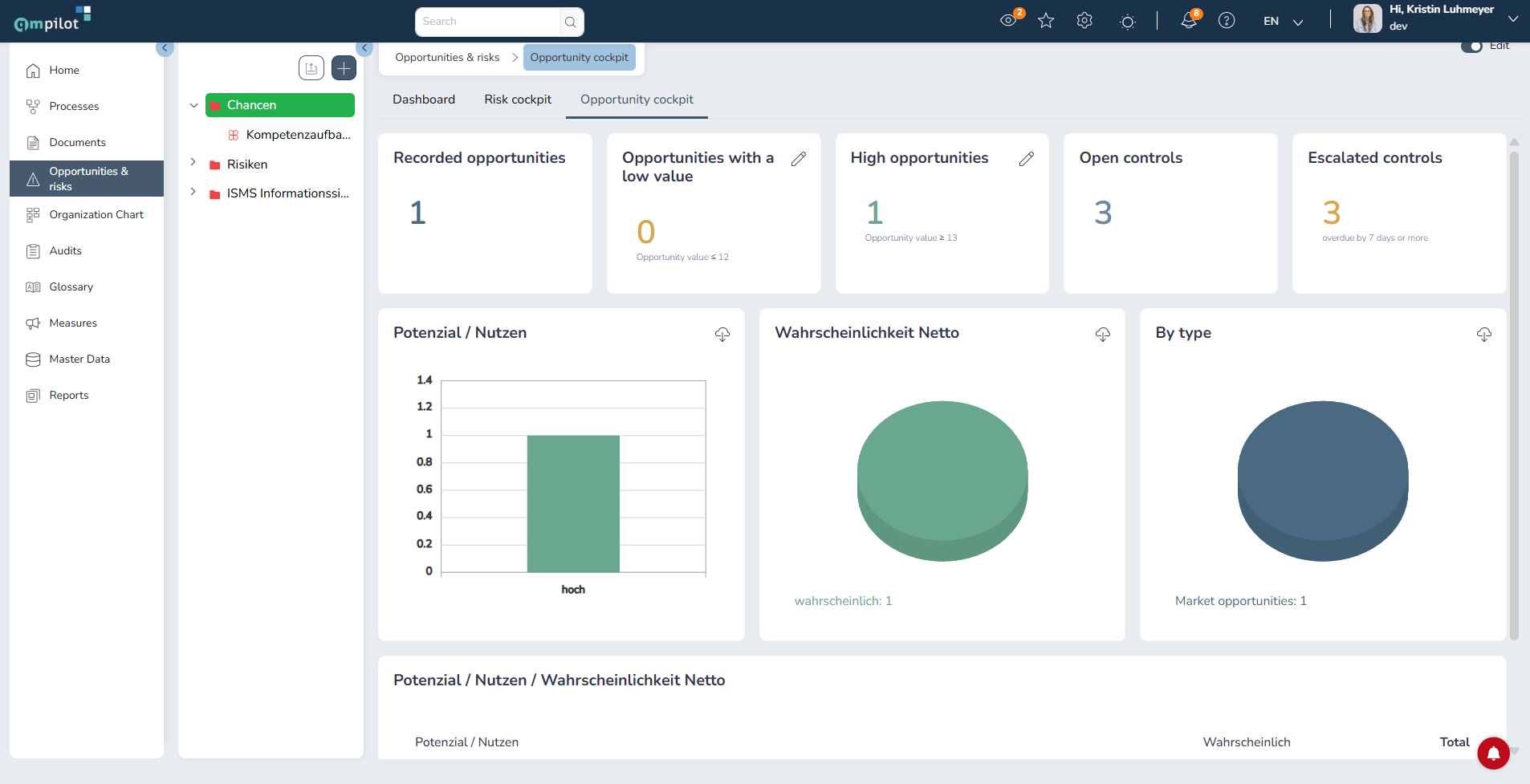
- Overview of Opportunities & Risks: New dashboard with dedicated tabs for overview, risks and opportunities. Clicking on a key figure opens the list of associated entries. Charts can be exported as images (PNG). Threshold values for risks/opportunities with low/high values can be configured directly in the dashboard.
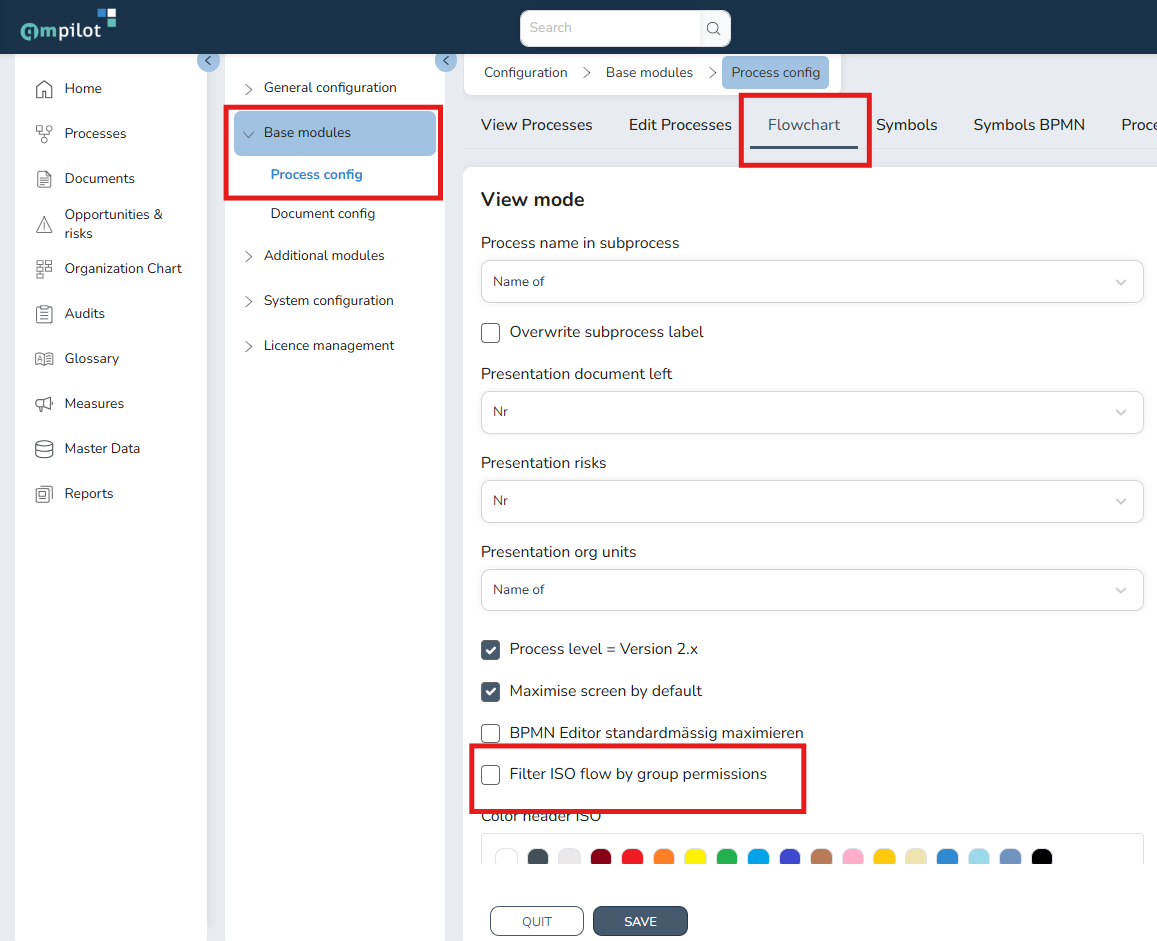
- Hiding documents in the process workflow according to group permissions: Documents can be selectively hidden within a process workflow, depending on the group permissions of the logged-in user. This ensures that only those documents to which I, as a user, have access are displayed. This setting must be enabled in the configuration:
- User changes for the Action Module: A staff change now also transfers events and actions from the Action Management Module
- ZIP download: The downloaded ZIP file containing all documents linked within a process now bears the name of the process.
Improvements
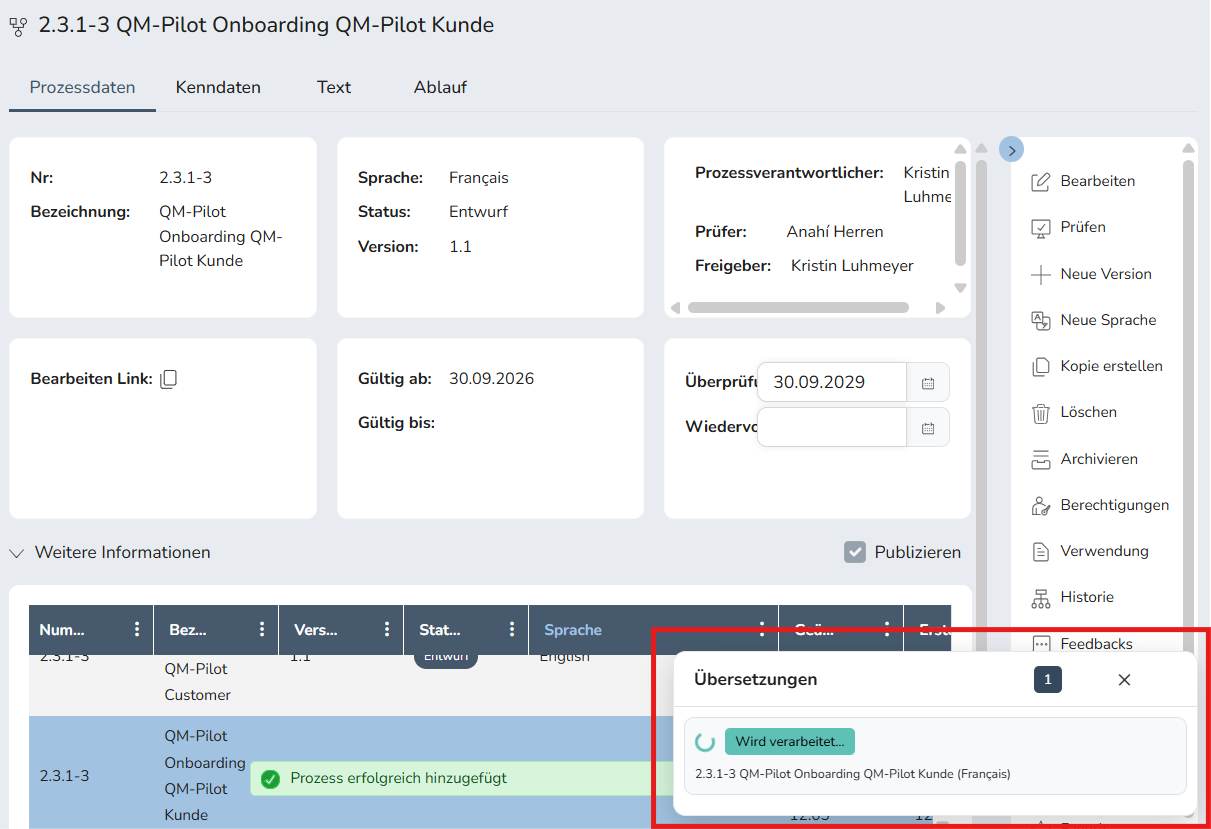
- Translations: The translation of documents and the translation of processes into several languages at once have been revised and speeded up. In addition, there is a status indicator for translations:
- Read receipts: The number of outstanding read receipts is updated in real time.
- Search: Linked items are marked as such in the search results (process links/document links to original content).
- Organisation chart export: The PDF and SVG exports now include images and fonts; the PDF settings are displayed again.
Bug fixes
Login
- Login via SAML, OIDC and LDAP is more robust, even if several users share the same email address.
- LDAP login now also works without a service account, provided users log in via LDAP only.
- If you cancel the Windows login, you will be taken to the home page.
- The session is reliably extended. Unexpected logouts and Windows login dialogues no longer occur.
- Two-factor authentication uses the correct address.
Processes
- Sub-processes can be opened from within a process and display the approved name in the view instead of the draft.
- Deleted documents are removed from processes.
- Connections no longer overwrite the ‘Description’ column.
- ISO connection points are scaled correctly. ‘Format’ restores the size.
- Older ISO processes that have never been opened display their workflow correctly.
- ‘Edit all versions’ also works in ‘Check’ status.
- The ‘Re-release’ status is correctly recognised as released.
- Images in the workflow are loaded correctly.
- When copying, the resubmission and review dates are no longer carried over.
- Corrupted processes have been repaired.
Documents
- When editing via WebDAV, document properties and the ‘Modified’ field are updated correctly. Saving errors no longer occur.
- Document translations work reliably.
- If a PDF is deleted in the edit dialogue, it remains deleted.
- ‘Download Doc.’ in processes no longer returns an empty ZIP file.
- Older file links (/File/…) now open the file directly again.
- The document type field can be left blank if it is optional.
- External sources are integrated correctly.
Reports
- In the ‘Processes with Key Data’ report, the data is correct and columns no longer appear twice.
- Reports show the correct change date.
- The ‘Opportunities & Risks’ report no longer displays a blank page.
Users, roles and permissions
- Users who are still in use elsewhere are protected from deletion.
- User changes are now working again.
- When a role is saved, permissions are no longer lost, and new roles no longer inherit permissions from other roles.
- When folders are deleted, permissions are checked correctly.
- External users (e.g. via LDAP/AD) no longer require a password when they are created.
- Sorting and filtering the user list now works.
- The task list now shows only the user’s own tasks.
- Actions can be viewed with read-only access.
- In audits, the drop-down list for external co-auditors now displays the correct users.
Further corrections
- The customised home page is retained when the settings are saved and is displayed immediately after an import.
- The client’s set default language is used correctly, even after a change.
- For new language versions, the correct creator is entered.
- The link field no longer appears twice in the details of events and actions.
- ‘Valid for’ is no longer displayed as truncated text.
- The delete cross in selection fields is visible in the light theme.